Create quotes and have them signed online
You build a quote from sections, lines and optional items your client can pick. Your client opens a personal link, agrees without an account, and you get the signed pdf straight away. The draft invoices are then ready and waiting.
No account or sign-up needed: enter your name and email and you are in your own demo straight away. After 30 minutes everything is wiped.
Who it is for
- You write quotes in Word or Excel and retype the details into an invoice once the client agrees.
- You write quotes for business clients, from freelancers to small and medium-sized companies.
- You want to see whether a client has opened the quote and when it expires, without keeping track of who to call.
What it saves you
Enter it once
When a client agrees, the portal creates a deposit invoice and a final invoice as drafts. You check and send them.
Fewer chasing calls
The portal tells you when the client opens the quote. A reminder to the client can go out after 3 days without a view and 5 days before expiry. By default you press send yourself.
Evidence with every agreement
At the moment of agreement the portal records who agreed, when, and what was shown.
How it works, step by step
- Start under Offertes (quotes)Choose a client, the language and the VAT treatment. Begin with a template or a blank quote.
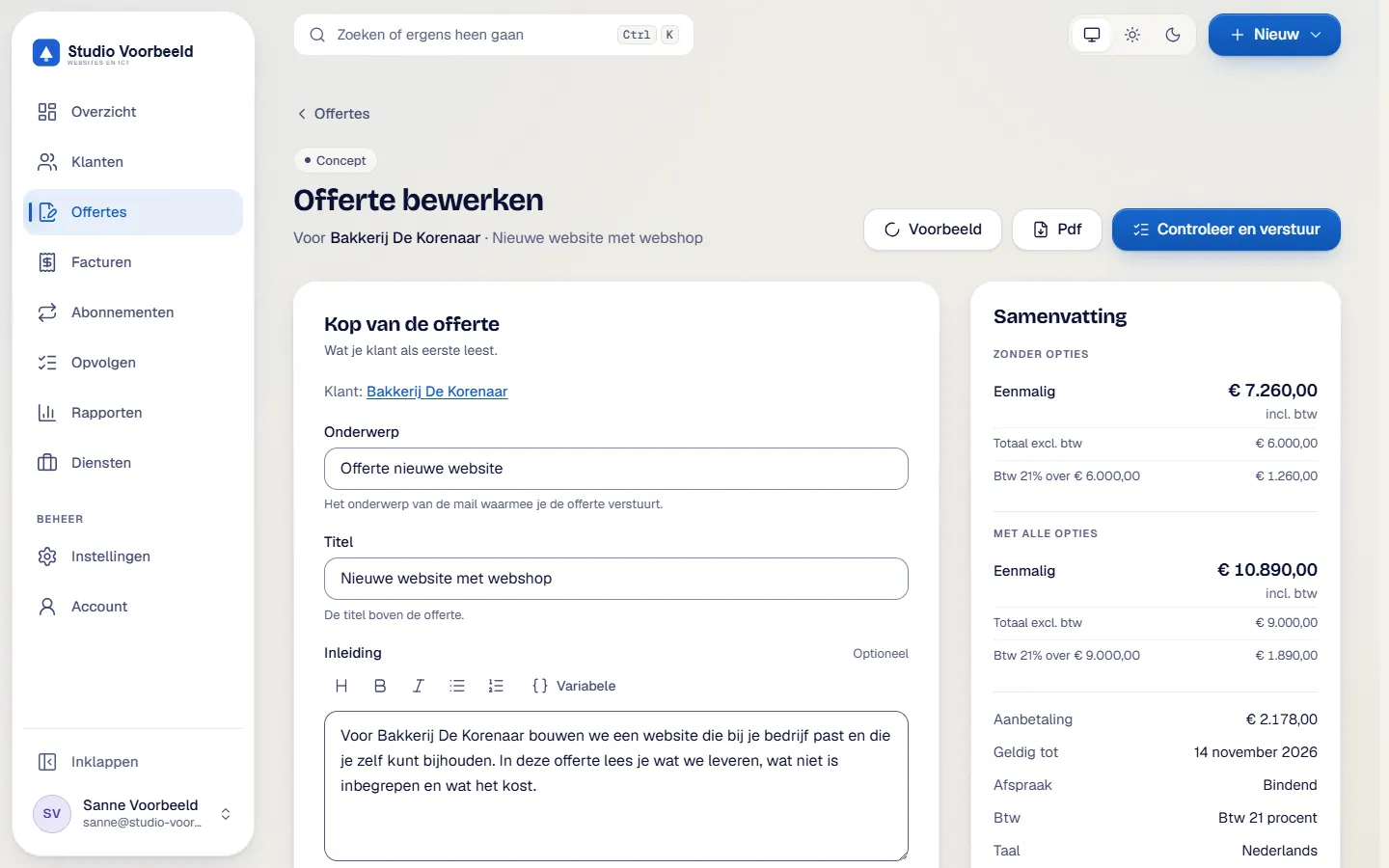
- Build the quote in the editorAdd sections with lines: a fixed amount, hours times rate, quantity times price, or a recurring amount per month or year. You can add catalogue services, discounts and optional items. The total updates live and the draft saves itself after 3 seconds.
- Set the termsChoose a deposit from 0 to 100 per cent, the validity, binding or non-binding, and add attachments. Look at the preview and work through the checklist.
- Send the quoteYour client receives an email with the pdf and a personal link. Sending needs a connected Microsoft 365 mailbox and general terms in the language of the quote.
- The client agreesThrough the link the client agrees without an account. Three steps: details and tick boxes, a signature (drawn or typed) and a 6-digit code by email.
- Everything comes back to youThe client and you both receive the signed pdf with a completion certificate. The draft invoices are ready, and with OneDrive connected a copy lands in your project folder.
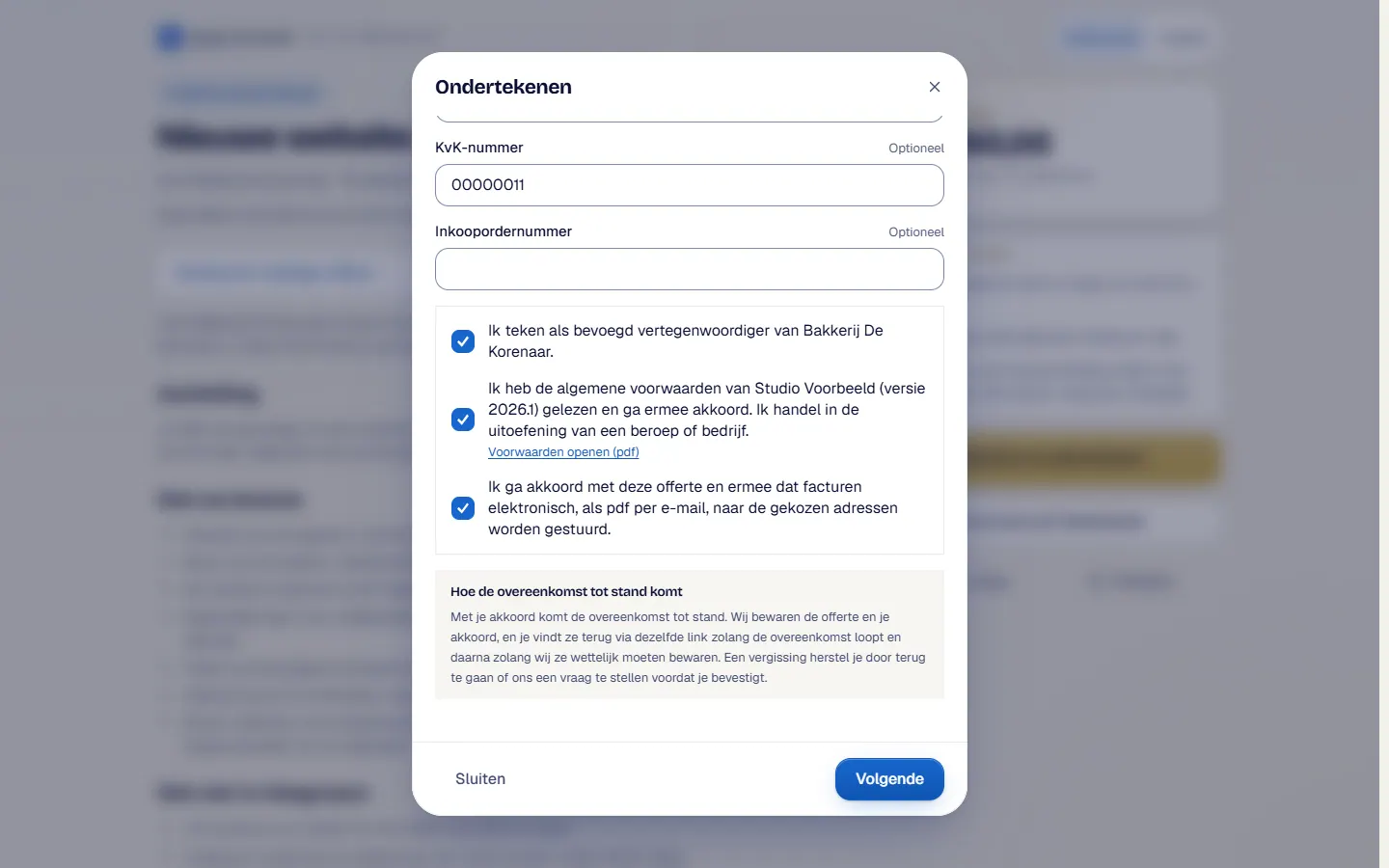
The screenshots show Avsaro with sample data from the invented company Studio Voorbeeld. The portal interface is in Dutch; documents, client pages and emails come in Dutch and English.
What is recorded at the moment of agreement
The agreement is a Electronic signatureA signature in digital form. The EU eIDAS Regulation distinguishes three levels: simple, advanced and qualified.
Read more with an evidence file. For each agreement the portal keeps, among other things:
- name, role, company and chamber of commerce number as the client entered them
- the time, the IP address, the browser and the exact wording of the tick boxes
- the signature and SHA-256 fingerprints of the quote as shown, the pdf and the terms
- a log that can only be added to
The signed pdf gets a completion certificate with a verification link. On the Verify page anyone can upload a document or enter a document ID to see whether it matches.
The evidential weight of a simple electronic signature can differ from one situation to the next. Read the guide and ask a lawyer if you are unsure.
Terms with every quote
You upload your own general terms per language. A quote goes out as soon as there is an active version in the language of the quote, so the terms always belong to the agreement. If you handle your client's personal data, the portal asks for a processor agreement as an attachment by default. You can also add DepositPart of the price that the client pays up front, usually when the work starts. The rest follows in the final invoice.
Read more to any quote.
Frequently asked questions
Does my client need an account?
No. The client opens the personal link from the email. The link does not expire and always shows the current status of the quote.
Is the agreement valid?
The agreement is a simple electronic signature with an evidence file. Its evidential weight can differ per situation, and this is not legal advice. The guide explains the levels.
Related features
Terms
Read more about this

Next step
See a quote from start to finish
In a call you see, with sample data, how a quote is made, signed and carried on to the invoices.
No account or sign-up needed: enter your name and email and you are in your own demo straight away. After 30 minutes everything is wiped.
Get in touch