Your own branding and the languages of your documents
Your quotes, invoices and emails carry your company details, your logo and your accent colour. Each document can be in Dutch or English. You yourself work in a Dutch-language environment.
No account or sign-up needed: enter your name and email and you are in your own demo straight away. After 30 minutes everything is wiped.
Who it is for
- You want clients to recognise your documents without you formatting them each time.
- You work with clients abroad and want English documents.
- You have standard texts, terms and payment terms that you do not want to retype.
What it saves you
Set it up once
Company details, logo, colour, signature and standard texts live in the settings and appear on every new document.
Clients in the right language
Dutch for clients in the Netherlands, English for clients elsewhere. It is adjustable, and you can change it per document.
A catalogue that grows with you
Your services sit in the catalogue with a Dutch and an English name and description. You can deactivate a service instead of deleting it.
Sent documents stay correct
A change applies to new documents. Quotes already sent and final invoices keep the details from the moment they were sent.
How it works, step by step
- Open InstellingenFill in your company details: name, address, chamber of commerce number, VAT number, IBAN with account name and contact details.
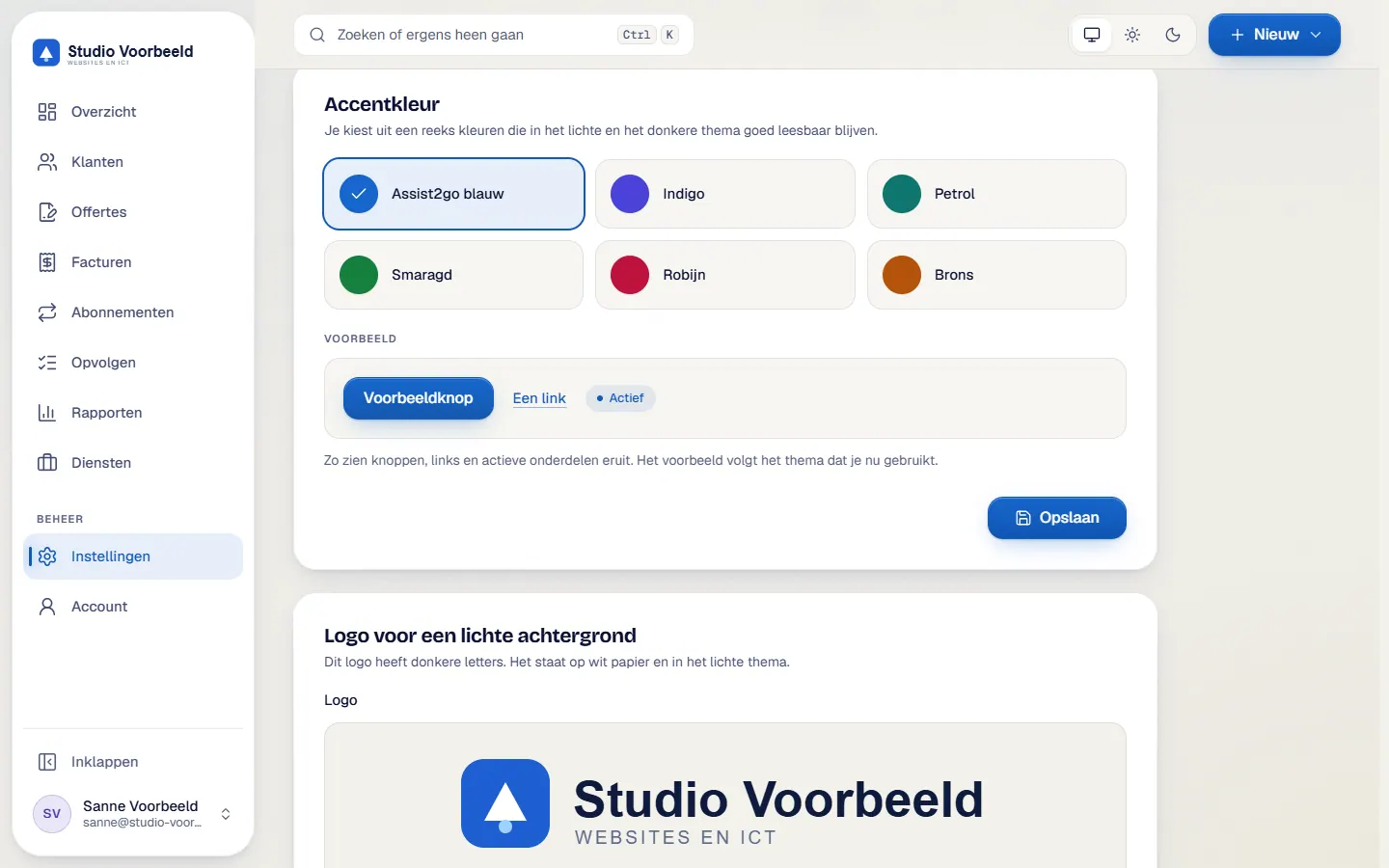
- Add your logoUpload a logo for a light and a dark view (png, jpg or svg up to 2 MB) and pick one of six accent colours.
- Record your signatureUpload the signatory's signature with name and role. It appears on every quote.
- Prepare terms and textsAdd general terms and a processor agreement per language, with versions. Set the introduction, footer, validity, deposit and payment terms.
- Choose the document languageSet Dutch for clients in the Netherlands and English for clients elsewhere. You can still change it per document.
- Fill the services catalogueCreate services with type, price, VAT and a Dutch and an English description. Drag them into the order you want.
The screenshots show Avsaro with sample data from the invented company Studio Voorbeeld. The portal interface is in Dutch; documents, client pages and emails come in Dutch and English.
Tested colours, crisp documents
You choose an accent colour from six fixed colours, each tested for legibility. That keeps every document crisp and easy to read, on a phone too. The theme of the portal itself is light, dark or automatic.
The wording of the emails is fixed, and for each send you add a personal paragraph.
Details for your website
You tick which company details your own website may fetch: name, address, chamber of commerce number, VAT number and email. Phone and IBAN can never be ticked.
Dutch and English
Quotes, invoices, emails and client pages exist in Dutch and English. With an English invoice you also get a Dutch version for your own records. For your own services and texts you fill in both languages yourself. The guide on invoicing abroad explains what to look out for.
Frequently asked questions
Can I pick my own colour?
You pick from six tested accent colours, so your documents are always easy to read.
Is the portal also available in English?
You work in a Dutch-language environment. Documents, client pages and emails come in Dutch or English.
Does a logo change alter old invoices?
No. A change applies to new documents.
Can I use my own font?
Your documents use a fixed, easy-to-read font. You supply your own logo and accent colour.
Related features
Terms
Read more about this

Next step
See your branding in place
Request a call and discuss how your logo and colour will appear on a quote.
No account or sign-up needed: enter your name and email and you are in your own demo straight away. After 30 minutes everything is wiped.
Get in touch