
Reports and a VAT summary of your sales
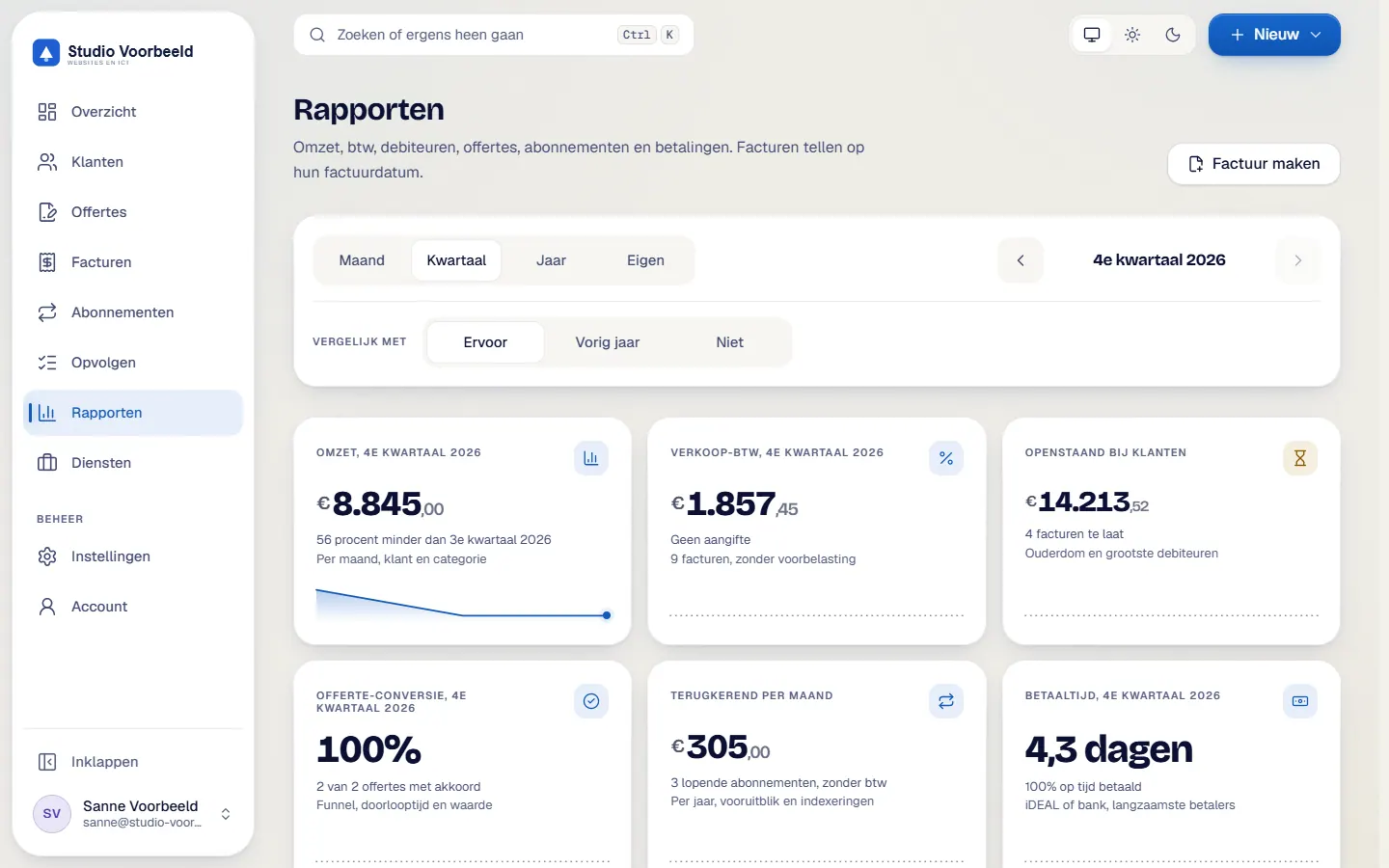
The figures come from your own invoices. You see revenue, outstanding amounts, quotes and recurring revenue, and per quarter the VAT on your sales. The summary prepares your return; you file it through Mijn Belastingdienst Zakelijk or your accountant.
No account or sign-up needed: enter your name and email and you are in your own demo straight away. After 30 minutes everything is wiped.
Who it is for
- You want to know your revenue per month, per client and per category without building a spreadsheet.
- At the end of the quarter you want the VAT on your sales to hand for your accountant or your return.
- You want to see which invoices are late and how quickly clients pay on average.
What it saves you
Figures from the source
Reports calculate from the invoices themselves. Drafts do not count and a credit note counts as negative. There is nothing to copy across.
A quarter without searching
The VAT summary is ready per quarter and per return box (1a, 1b, 1c, 1e, 3a and 3b), by invoice date and in whole euros.
Something to give your accountant
You export as csv and create a quarterly or yearly summary as a pdf for your accountant.
A view of what is left over
The debtors report shows what is outstanding, what is late and how old the amounts are.
How it works, step by step
- Open RapportenChoose from six reports: Omzet, Verkoop-btw, Debiteuren, Offerte-funnel, Terugkerende omzet and Betaalgedrag.
- Pick the periodMonth, quarter, year or a period of your own. You can compare with the previous period or with the same period a year earlier.
- Read the revenueRevenue is shown per month, per client and per category, excluding VAT and by invoice date.
- Open Verkoop-btwThe screen is titled 'Verkoop-btw, geen aangifte' (sales VAT, not a return). It adds up the VAT on your sales per quarter, per box.
- Export what you needDownload a csv of invoices, revenue, VAT, debtors, quotes, recurring revenue or payment behaviour, or the quarterly summary as a pdf.
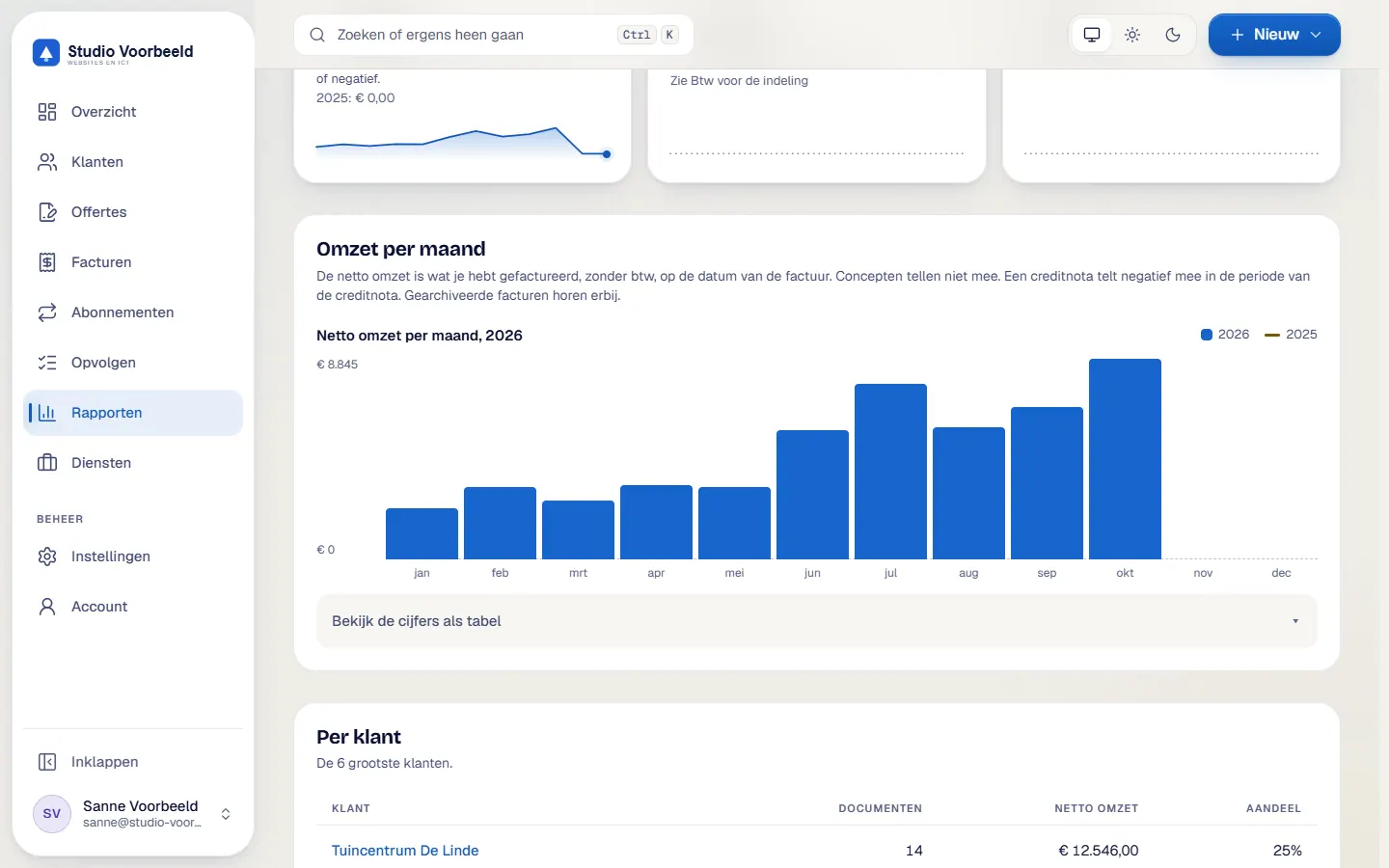
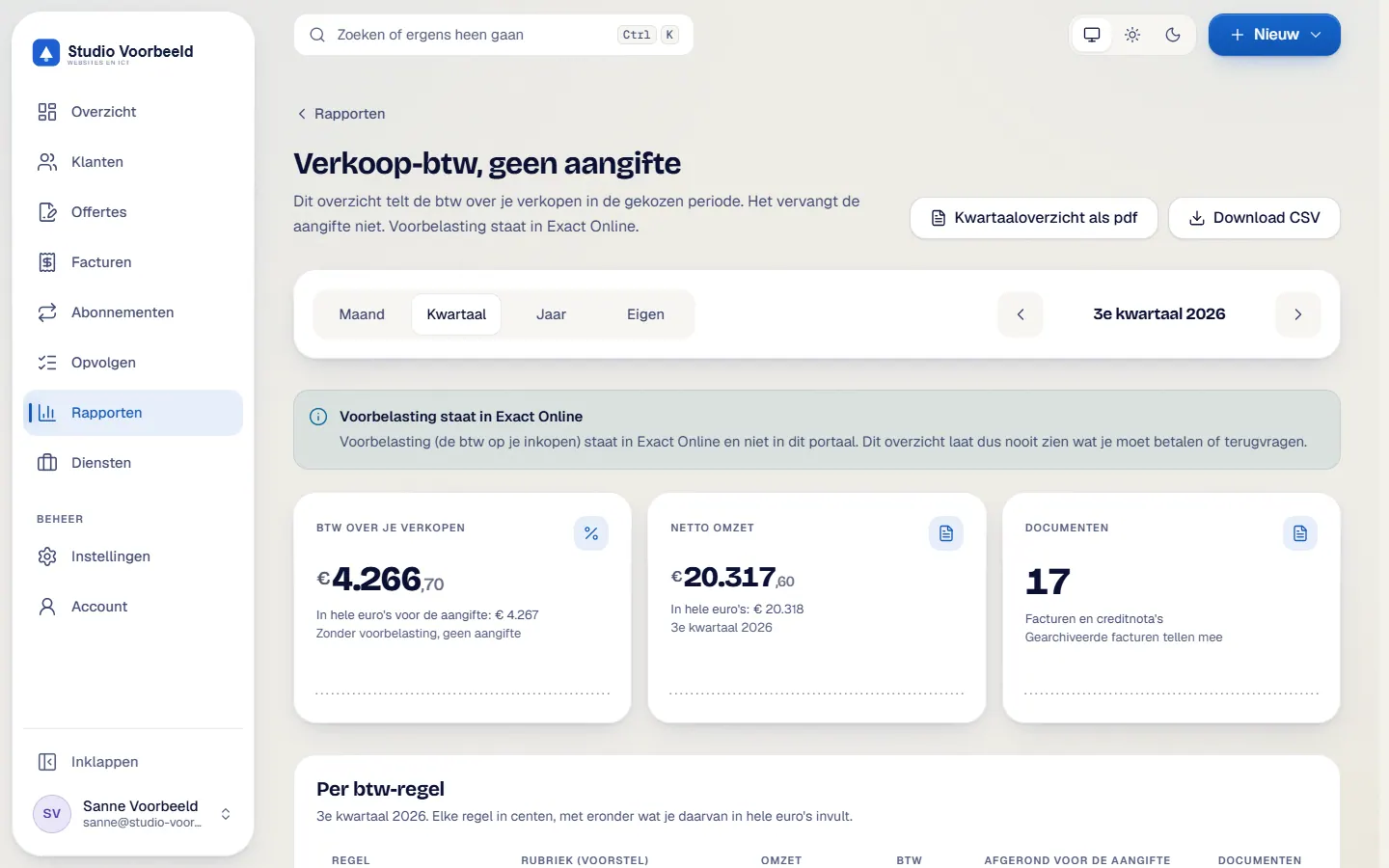
The screenshots show Avsaro with sample data from the invented company Studio Voorbeeld. The portal interface is in Dutch; documents, client pages and emails come in Dutch and English.
What the VAT summary is and is not
The summary only adds up the VAT on your sales. The VAT on your purchases, the input tax, is not in it and stays in your accounting software, for example Exact Online. You file the VAT returnThe report to the tax authority of the VAT you charged and paid, usually per quarter. Avsaro does not file a return.
Read more yourself or through your accountant. Box 3b is shown, but the portal does not produce an ICP listing.
The summary is an aid and not advice. Have your accountant check whether the layout suits your situation. More explanation is in the guide on preparing a VAT return.
A payment status that is right
With iDEAL through Mollie the payment status updates by itself, so your reports are right. For an ordinary bank transfer you record the payment with one click.
Your bookkeeping stays where it belongs
- profit and loss account, balance sheet and cash flow stay in your accounting package
- you file the VAT return through Mijn Belastingdienst Zakelijk or your accountant
- purchase invoices and input tax stay in your accounting package
Frequently asked questions
Can I file my VAT return from the portal?
The summary helps you prepare. You file the return through Mijn Belastingdienst Zakelijk or your accountant.
Why is the VAT on purchases missing?
The summary is about your sales. You record the VAT on purchases in your accounting software.
Which date does the summary use?
The invoice date, per quarter. Drafts do not count.
Can my accountant use the figures?
You give them the csv or the pdf of the quarterly or yearly summary. They judge for themselves whether it fits.
Related features
Terms
Read more about this

Next step
See the reports with sample figures
In a demo you open the reports and the quarterly summary and see how they are built.
No account or sign-up needed: enter your name and email and you are in your own demo straight away. After 30 minutes everything is wiped.
Get in touch